AI-powered scaling for Deriv Partners: Five ways to make more time
Scale partner marketing with AI content creation workflows, brand-safe automation, content repurposing, and performance insights for faster growth.
As your Deriv partner business grows, your to-do list often grows with it. There’s content to create, questions to answer, and performance to review.
AI can help you move some of that work forward. You bring the knowledge of your audience. The tools help you explore ideas, prepare drafts, and reuse work you’ve already done. Here are five practical ways to get started.
1. Turn audience questions into a content plan
A useful content plan starts with what your audience wants to understand.
Gather a few of your strongest and weakest posts, their results, and common questions from your audience. Remove personal or confidential information before sharing anything with an AI assistant such as ChatGPT or Claude.
Ask it to suggest topics worth testing. Assistants can help with brainstorming and drafting, giving you something concrete to work from. Explore Claude’s writing and analysis capabilities.
Try this prompt:
“I’m a Deriv partner creating educational content for [audience]. Here are examples of my posts, their results, and questions people ask. Suggest five topics to test next. For each topic, suggest a format and explain which audience question it answers. Treat possible reasons for past performance as ideas to investigate.”

Choose the suggestions that fit your audience and add your own experience. You know which questions come up in real conversations and where people need more help.
2. Turn one useful article into several pieces of content
This is where AI can make content creation especially exciting.
You’ve already spent time researching a topic, checking the facts, and explaining it clearly. That work can support much more than one article.
At Deriv, we often repurpose one piece of content into several formats. Partners can use the same approach with their own original content.
Imagine you’ve written a guide to getting familiar with a demo account. An AI assistant can help turn it into:

One topic now gives you several ways to reach people who prefer to watch, read, or swipe.
Try this prompt:
“Use my article below to draft a 60-second video script, a six-slide carousel, three FAQs, and one short email. Keep the language simple and adapt each version to its format. Use only facts from the article. Preserve relevant risk warnings, don’t promise profits, and flag anything that needs checking.”
The next step is editing. A video needs to sound natural when spoken. A carousel needs short, readable slides. An email needs a clear reason to open it.
Check each version against the original. Make sure shorter formats still include the context and warnings readers need.
You can also work in the other direction: turn your own video transcript into an article, then use that article to develop an FAQ or email.
Start with one strong piece. Give each new version a clear purpose.
3. Make your videos accessible in another language
If you already have a useful video, translating it could help another audience understand it.
HeyGen’s video translation tools can create another language version using a voice that resembles the original speaker, with lip-sync options. That gives you a starting point for adapting your own videos. See how HeyGen video translation works.
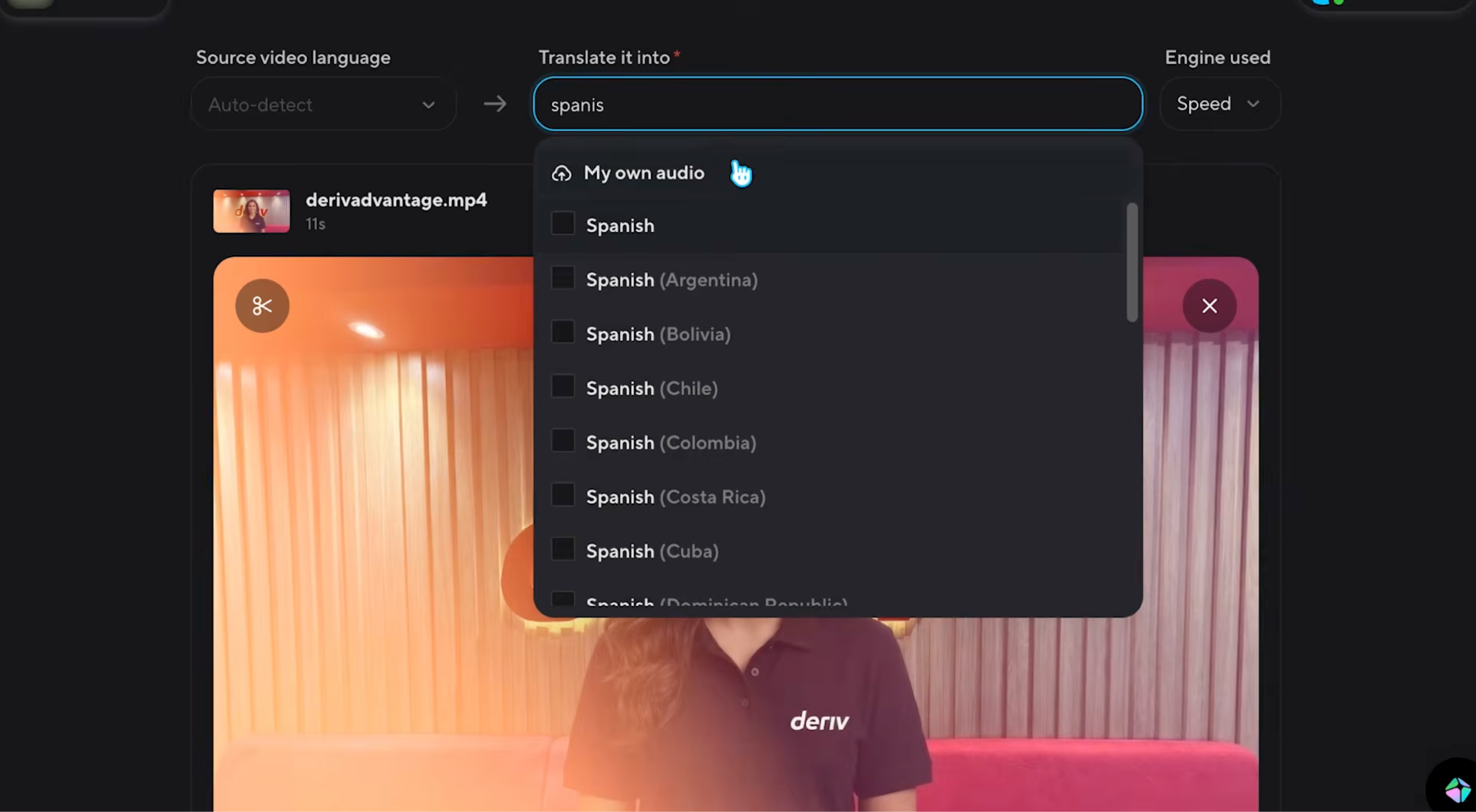
Start with one video and one language. Have someone fluent review the wording, pronunciation, subtitles, and meaning before publishing.
Pay particular attention to product names and risk warnings. Check that the products discussed are available to the intended audience and that you’re permitted to reach them.
Once the video is ready, test it with that audience. Their questions and feedback can help you decide what to translate next.
4. Give common questions a faster answer
Some questions come up repeatedly: Where can I find your latest guide? When is the next session? How can I access your learning resources?
A tool like Manychat can help you create automated replies to questions like these. You can build a response flow using answers you’ve written and checked, then provide a route to a person when needed. Explore Manychat automations and human handover options.
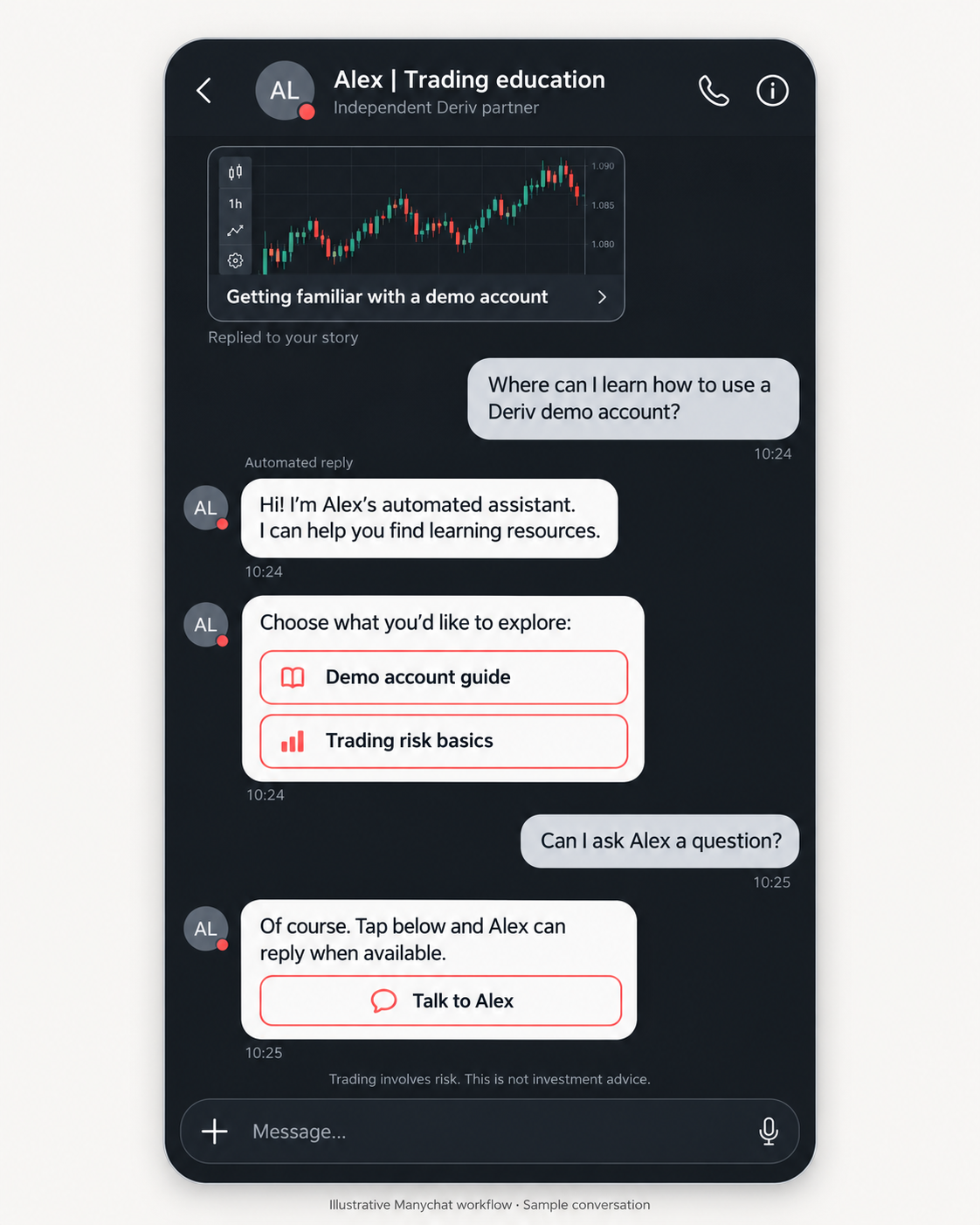
Begin with three common questions. Write the answers, connect the relevant resources, and test different ways someone might ask each question.
Make it clear when a reply is automated. For account-specific issues, direct people to official Deriv support.
A simple, reliable reply can help someone find what they need while giving you more time for conversations that require your attention.
5. Use your results to choose the next experiment
Your Partner dashboard gives you results to review. An AI assistant can help you organise a permitted summary and suggest questions to investigate.
Use only information you’re authorised to share, without personal or confidential details. Removing names alone does not necessarily make information suitable to upload.
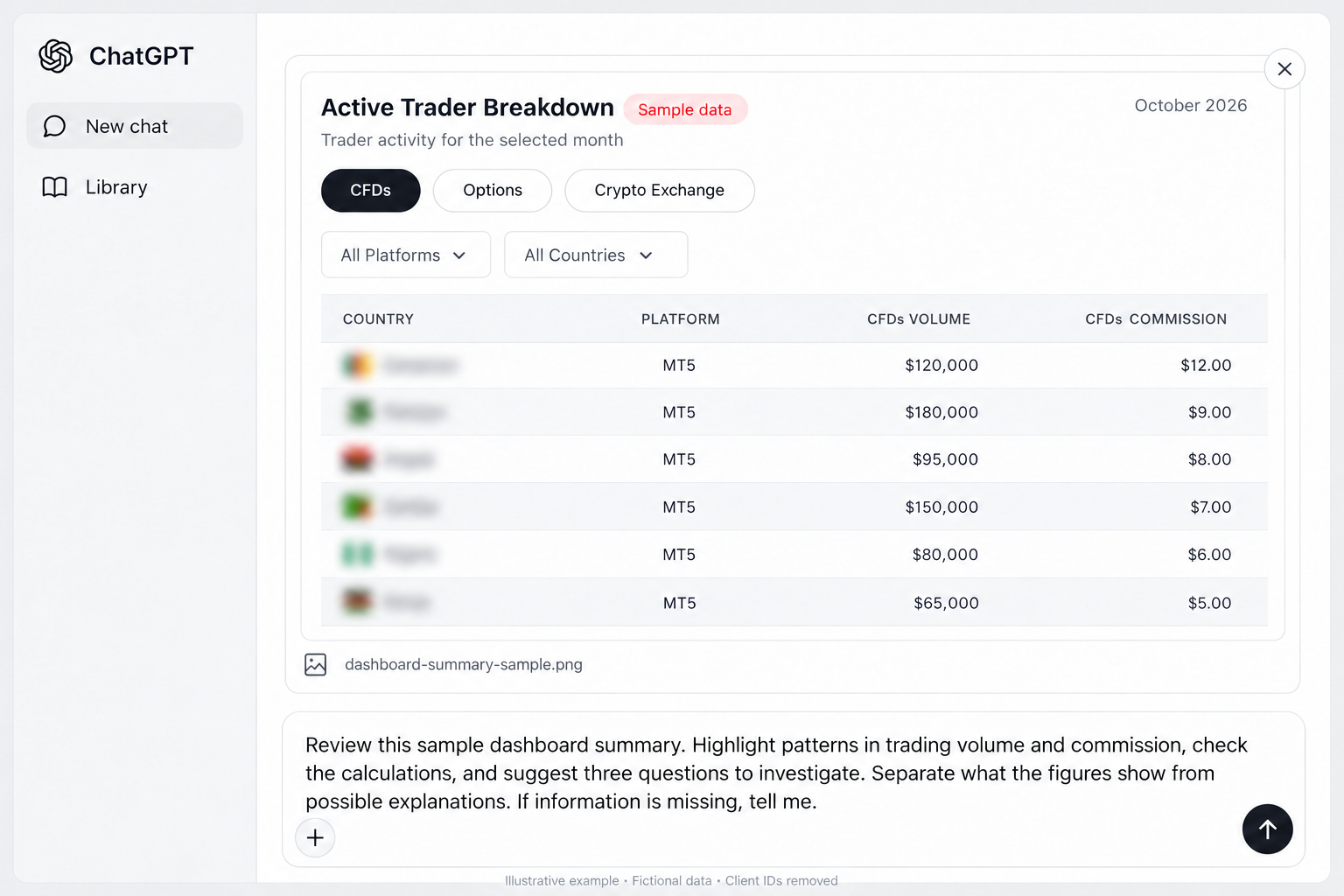
Try this prompt:
“Compare these weekly results. Highlight changes, check the calculations, and suggest three questions to investigate. Separate what the figures show from possible explanations. If information is missing, tell me.”
Check the analysis against your dashboard. If referrals increased after you published a video, that gives you something to explore. It doesn’t prove the video caused the increase.
Use the findings to choose one next test, such as explaining a topic more clearly or trying a different content format.
Give AI a clear brief, and keep improving it.
You don’t need a complicated prompt. Tell the assistant who your audience is, what you want to create, which source material to use, and what it must avoid.
Then give feedback:
“The opening is too formal. Make it more conversational.”
“Keep the risk explanation, but shorten the introduction.”
“Suggest three alternatives to this headline without exaggerating.”
Save the instructions that work. A reusable brief with your tone, audience, and review requirements can make the next task easier.
Before publishing, check the facts, links, product details, and required warnings. Follow Deriv’s partner guidelines, protect personal and confidential information, and never promise profits.
Start with one workflow
Choose one task you repeat regularly. Repurpose an article, draft a content plan, or prepare answers to common questions.
Track how long the task takes, including your review time, and whether the finished work helps your audience. Expand the approach when you see useful results.
Your next useful video, email, or carousel could start with something you’ve already created.
Explore more learning resources in Partners Academy.

Quiz
FAQs