How to plan your next live session with AI
Use ChatGPT, Gemini, or NotebookLM for AI session planning: shape written content into a workshop outline, agenda, activities, and presentation notes.
You’ve read or written an article with ideas your audience could learn from. It could become a useful webinar, a small workshop, or a discussion at an in-person event. But how do you turn a few minutes of reading into a session people want to participate in?
AI can help you find the main ideas, organise an agenda, suggest an activity, and prepare slides. You choose what matters, check the content, and bring your own experience to the discussion. Here’s how to do it, using one article as an example: a Partners Academy case study about building a synthetic indices affiliate network. Our example session will explore what Deriv partners can learn from Mustafa Zamani’s approach to education, trust, and community building.
Choose the tool for the task
Start with an article and one AI assistant. Use NotebookLM when you’re ready to develop the presentation.
The article provides the material. Your session gives participants time to understand it, discuss it, and consider how it relates to their own work.
1. Choose an article worth discussing
Start with something relevant to your audience. A useful article gives you more than information to repeat. It might explain an approach, introduce a process, or describe an experience that participants can reflect on. Read it yourself before asking AI to develop the session. Consider:
- Audience: Who would benefit from discussing this?
- Focus: Which ideas deserve attention?
- Outcome: What should participants understand or be able to do afterwards?
- Scope: How much discussion can the article reasonably support?
For our example, the audience is Deriv partners developing their educational content. The focus is how education and transparency can support community building. A suitable learning goal could be:
Identify one way to improve how you educate and communicate with your audience.
Keep the goal realistic. A single case study can prompt useful reflection, but it does not establish a formula for business growth.
2. Ask AI to turn the article into a session plan
Provide the article to ChatGPT or Gemini. You can attach a document, paste text you have permission to use, or provide the link if your chosen tool can access it. Make sure the assistant has actually received the article. If it cannot read the link, supply the relevant text rather than accepting a plan based only on the title. Then explain who the session is for and how long it should last.
Try this prompt:
“Help me turn this article into a 30-minute educational session for Deriv partners. Use its main ideas about education, trust, and community building to suggest one clear learning goal, a timed agenda, three key points to explain, one practical activity, discussion questions, and a short closing recap. Keep factual claims grounded in the article. Clearly separate the featured partner’s experience from suggestions for participants to explore. Do not invent details or imply that others will achieve the same results. Make the session suitable for a webinar or an in-person discussion.”
Review the plan against the article. Are the proposed ideas actually supported? Does the agenda fit the time? Has the assistant introduced a topic that would require another source?
You can refine it:
“Simplify this plan. Keep the three ideas most relevant to the learning goal. Remove repetition and allow enough time for participants to discuss one practical application.”
3. Build the discussion around the article’s main ideas
Give the session a clear thread. For our case study, you could organise the discussion around these three themes:
Return to specific passages as you explain each theme. This helps participants see where the ideas come from. Then ask a question that connects the article to their own work:
- What does your audience need more help understanding?
- How do you explain limitations and risks alongside an educational topic?
- Where could you create more opportunities for questions and discussion?
Ask your assistant to help prepare the flow:
“For each of these three themes, suggest one relevant passage from the article, a plain-English explanation, and one discussion question. Keep the source material separate from your suggested questions.”
Check the passages yourself. Use the questions to open a conversation, rather than treating the article as a checklist everyone must follow.
4. Include one activity that helps people apply an idea
A live session gives participants a chance to do something with what they’ve read. For our example, try this activity:
Choose one approach discussed in the article. How could you adapt it to answer a question your own audience asks?
Give participants three simple steps:
- Write down one recurring audience question.
- Choose an approach from the article that could help you address it.
- Outline a short educational response, such as a video, explanation, or live discussion.
Ask for a brief answer: the audience question, the chosen approach, and the proposed response.
Online, participants could write in the chat. In person, they could discuss in pairs before sharing with the group.
You can ask AI to sharpen the instructions:
“Write clear instructions for this activity. Participants should complete it in five minutes, followed by five minutes of sharing. Give me a webinar version and an in-person version. Keep the task focused on educational communication, without asking participants to recommend trades.”
Your 30-minute agenda could now look like this:
5. Bring the article and reviewed plan into NotebookLM
Once you’re happy with the structure, prepare the presentation. Create a notebook and add the article as a website source. Add your reviewed session plan separately, with a clear title such as “Session plan: Education, trust, and community.”
Keep their roles clear: the article supports factual claims; the plan sets the order, timing, and activities.
Check that the article’s relevant text has imported correctly. Website imports do not automatically include images, embedded videos, or the contents of linked pages. Add other resources separately if you need them. See Google’s source-import guidance.
Only upload material you have permission to use. Leave out personal and confidential information. Before generating slides, ask:
“Compare my session plan with the article. Which factual points are supported by the article? Flag anything that adds an unsupported claim or changes the meaning. Treat the activity and discussion questions as facilitator-created material.”
Resolve any gaps before moving on.
6. Generate a presentation that supports the session
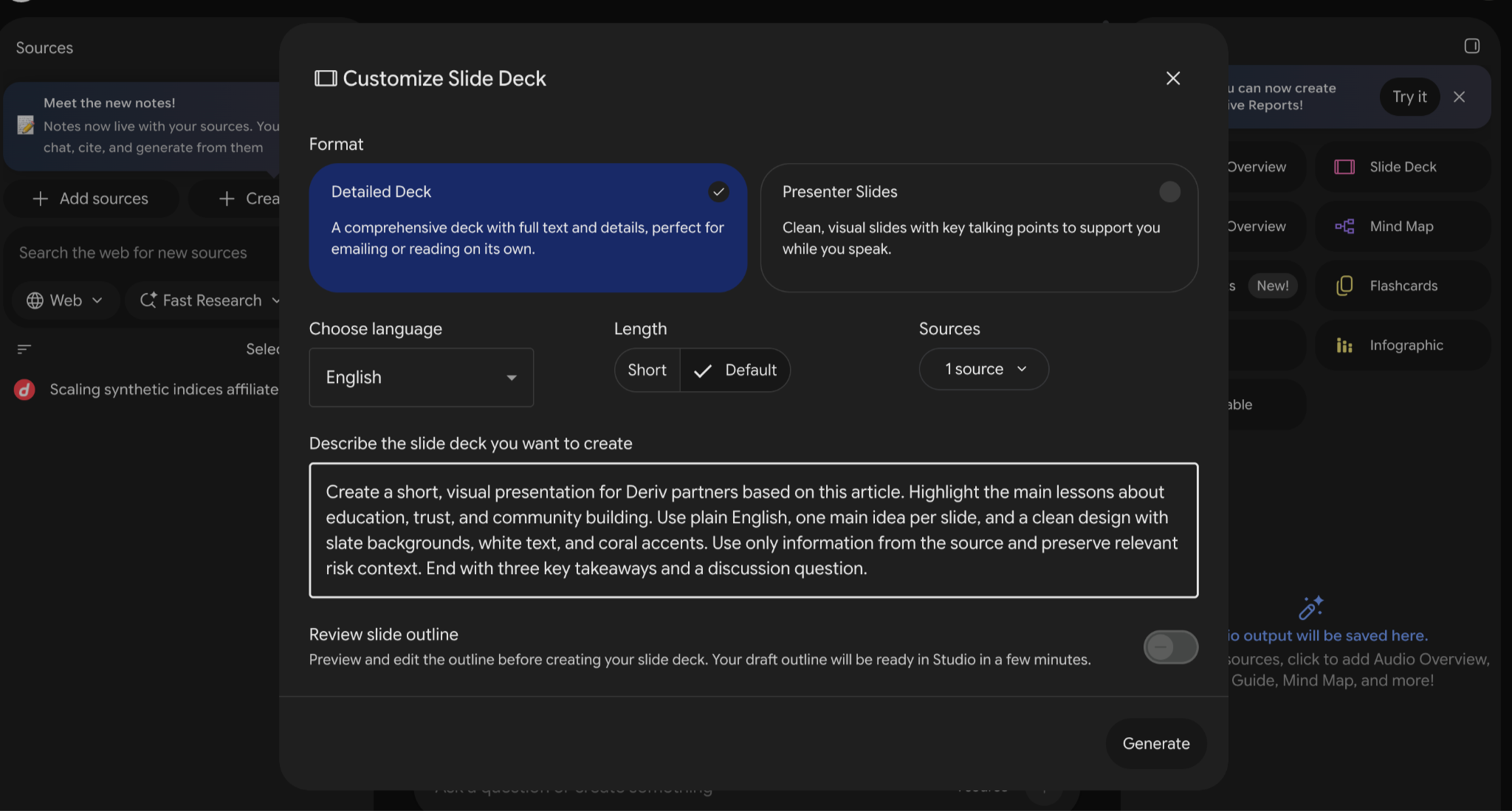
In NotebookLM’s Studio panel, open the Slide Deck customisation options. Choose Presenter Slides for a session you’ll deliver aloud. This format uses visual slides and key talking points to support the speaker. Select the language and preferred length, then describe the presentation you need. See Google’s slide-deck guidance.
Try this prompt:
“Create a short, visual presentation for a 30-minute educational session for Deriv partners. Follow the uploaded session plan for the structure. Use the selected article as the factual source. Introduce the case study, explore its themes of education, trust, and community building, then include the planned activity and a short recap. Use plain English, one main idea per slide, and brief talking points. Clearly distinguish the featured partner’s experience from questions and activities created for this session. Preserve relevant risk context and do not imply typical or guaranteed results. Use a clean, readable design that suits my own brand. Include a reference to the article.”
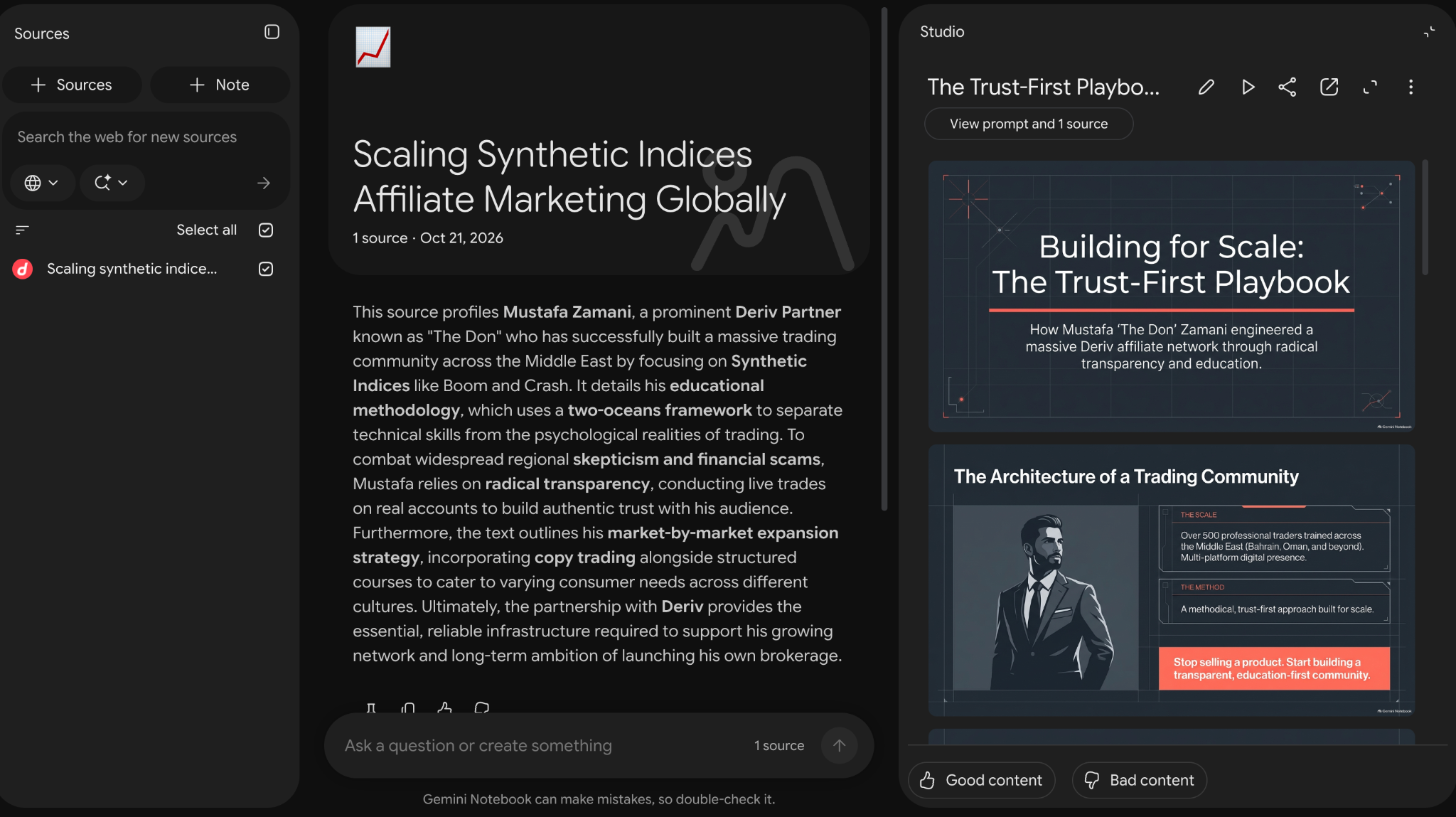
If Review slide outline is available in your interface, enable it and check the proposed sequence before generating. Look for a presentation that helps you explain the article. Avoid filling the slides with paragraphs participants could simply read themselves.
7. Check the slides and prepare your delivery
Treat the generated deck as a first draft. Review it with the article open beside you:
Remove anything you cannot explain or verify. If the slides mention products or platform features, check them against current official resources, including availability for the intended audience. Review any risk wording required for the content and placement.
Then return to ChatGPT or Gemini:
“Using this reviewed session plan, create a presenter’s running order with timings, transitions, activity instructions, and an equipment checklist. Include a simple backup plan if the slides or internet connection fail.”
For a webinar, test meeting access, screen sharing, and sound. For an in-person session, check the projector, room setup, and readability from the back. Keep a local copy of the presentation available.
8. Rehearse and save your session kit
Practise the session aloud with a timer. Explain the article’s ideas in your own words. Rehearse the activity instructions and check that participants will have enough time to respond. Use AI to prepare for questions:
“Act as a participant in this session. Ask five realistic questions, one at a time. After each answer, point out unclear explanations or claims I should check against the article.”
Verify factual feedback yourself. If a question goes beyond the source or your knowledge, prepare to say that you’ll check it. Before delivering, follow Deriv’s partner guidelines, protect personal and confidential information, and never promise profits. Afterwards, save:
- The article link and the date you reviewed it.
- Your session plan and useful prompts.
- The checked presentation.
- Activity instructions and the running order.
- Notes on questions participants asked and what you would improve.
You’ll have a session you can refine and a process you can adapt for another article.
Create a discussion session from an article with ChatGPT or Gemini
Choose an article your audience would benefit from discussing. Use ChatGPT or Gemini to build a focused session around its ideas. Add the article and your reviewed plan to NotebookLM, generate a draft presentation, and check it carefully. Then make room for people to participate.
The result is more than an article presented on slides. It’s an opportunity for your audience to explore the ideas and decide how they relate to their own work.

Quiz
FAQs