How to grow your Deriv Partner network: dashboard tools and marketing materials
Learn how to use the Deriv Partner Dashboard to track sub-partners, deploy marketing materials, and build compliant communication funnels.
Deriv's affiliate marketing system allows you to earn commissions by referring clients and recruiting sub-partners. The Deriv Partner Dashboard provides essential tools to track, grow, and optimise your network for maximum earnings.
Leverage your Deriv Partner network and marketing materials by monitoring your sub-partner tree structure for growth opportunities, deploying ready-made banners with embedded tracking codes across your marketing channels, and building compliant client communication funnels that respect privacy regulations while maintaining contact capabilities. These dashboard tools let you track commission sources, optimise high-performing creatives, and scale your network systematically.
Quick summary
- Reduced friction: Automated tracking for sub-partners and marketing materials.
- Scaleable hierarchy: Multi-level "tree structure" to track network growth.
- Ready-to-use assets: Banners and landing pages with embedded tracking codes.
- Compliant growth: Data-protection-friendly funnels for client communication.
What is the Deriv Partner Network?
The Deriv Partner Network is a hierarchical partner system that connects you with sub-partners and tracks all commission-generating relationships under your account.
Claudia Casco, Education Specialist at Deriv, explains it simply: "Think of it as your business tree—you're at the top, with branches representing everyone you've referred who became partners themselves.”
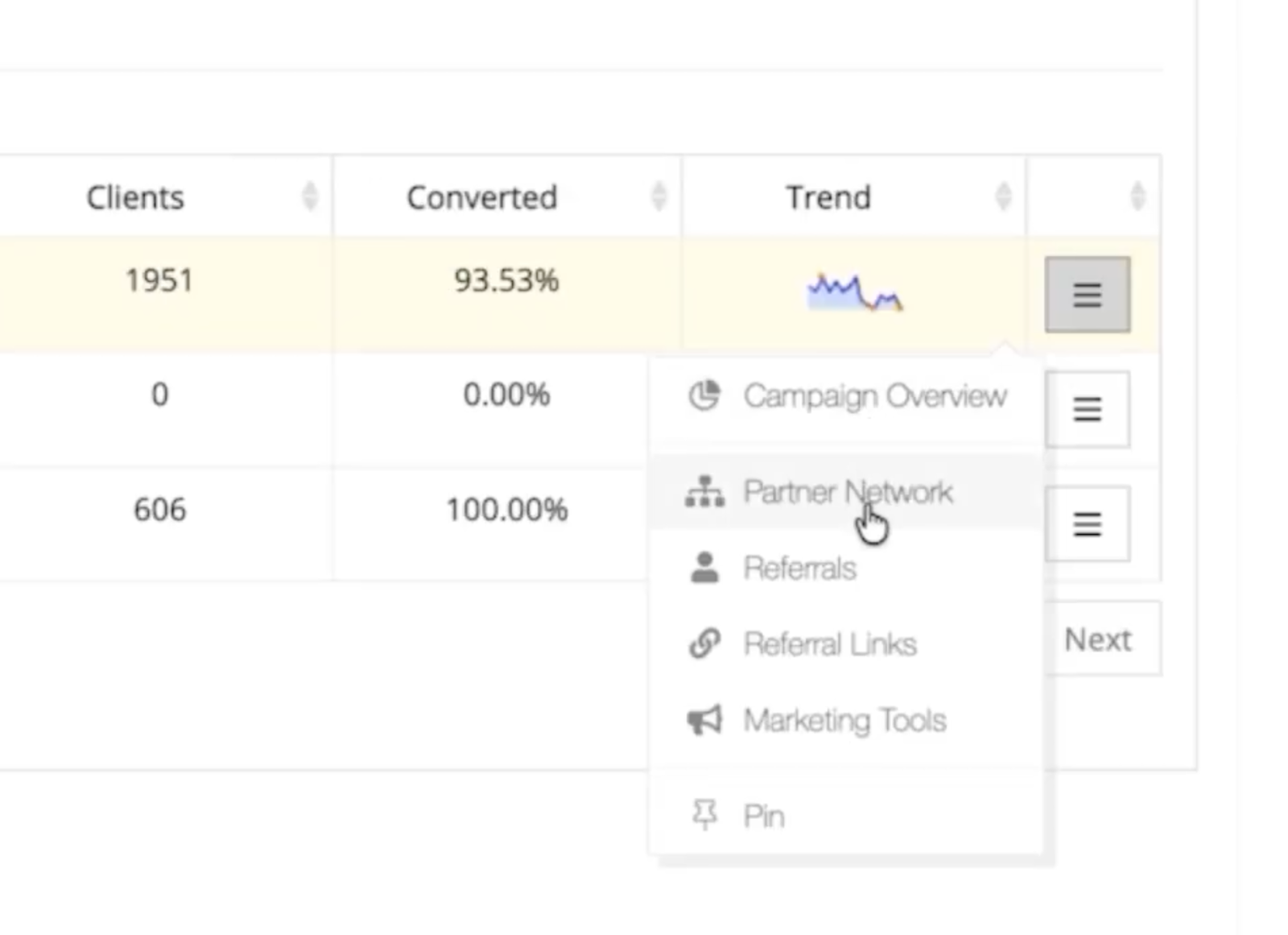
Core Partner Network components
- Network ID: Your unique root identifier (e.g., Network 13076)
- Partner Nodes: Individual partners displayed as cards with tracking codes (format: CUxxxxx.13076.yyyyy)
- Sub-Partners: Partners you have referred who can recruit their own networks.
- Network Address: The tracking pathway that connects each client or partner back to you
- Master Programme: The overarching commission structure that governs all network relationships
- Referral Links: Tracked URLs tied to specific commission plans
- Marketing Tools: Library of ready-to-use banners and creatives with embedded tracking
- My Clients: Comprehensive view of all referrals and their activity data
Your Network ID sits at the centre, with partner nodes branching out beneath you. When you refer someone who becomes a partner, they become a sub-partner node in your network. Their referrals then connect to them while remaining part of your larger network tree. Each connection generates tracking data that flows back through the network address system to ensure proper commission attribution.
This network structure enables multi-level commission earning—you benefit not only from your direct referrals but also from the activity of partners they recruit.
How do I navigate the Deriv Partner Network structure?
Your Partner Network gives you a complete view of everyone connected under your account.
- The tree view: Labelled with your Network ID to visualise hierarchy.
- Node cards: Displaying unique codes where the middle number matches your ID.
- Connection lines: Showing the direct relationship between you and your sub-partners.
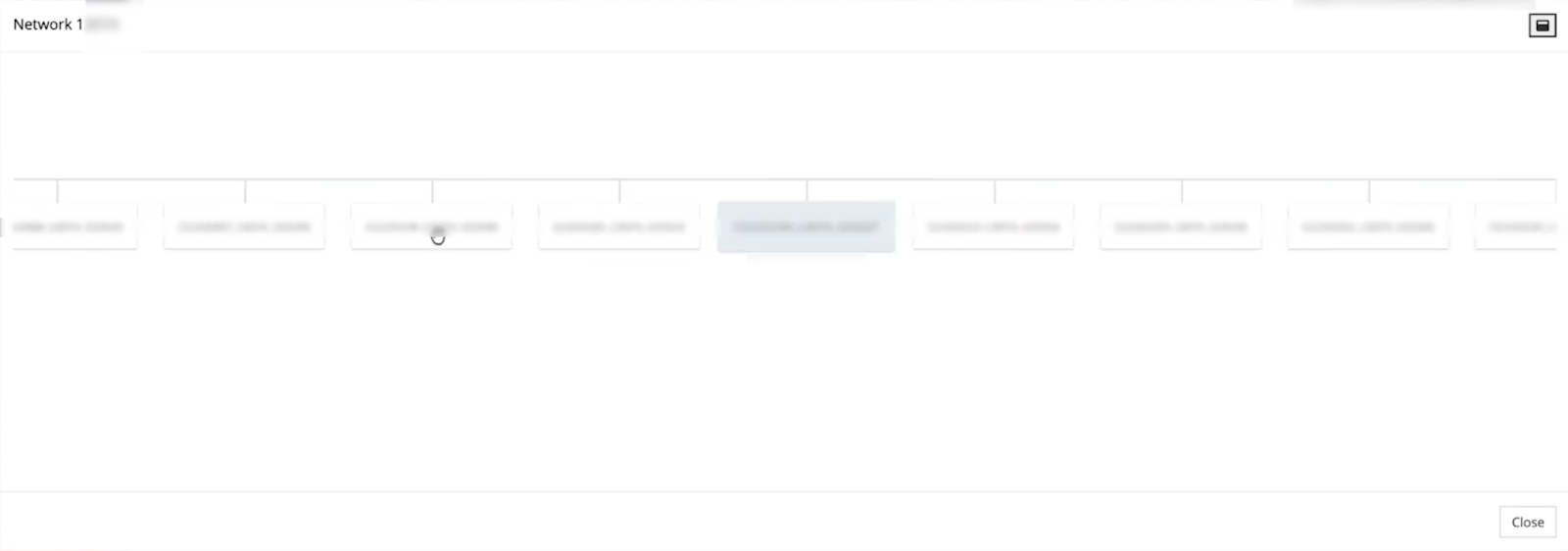
How to use this data
Each partner node represents someone in your network. The code format (CUxxxxx.13076.yyyyy) helps you identify which Master Programme network they belong to. Use this view to:
- Track your network growth
- Identify active sub-partner branches
- Plan targeted support for different network segments
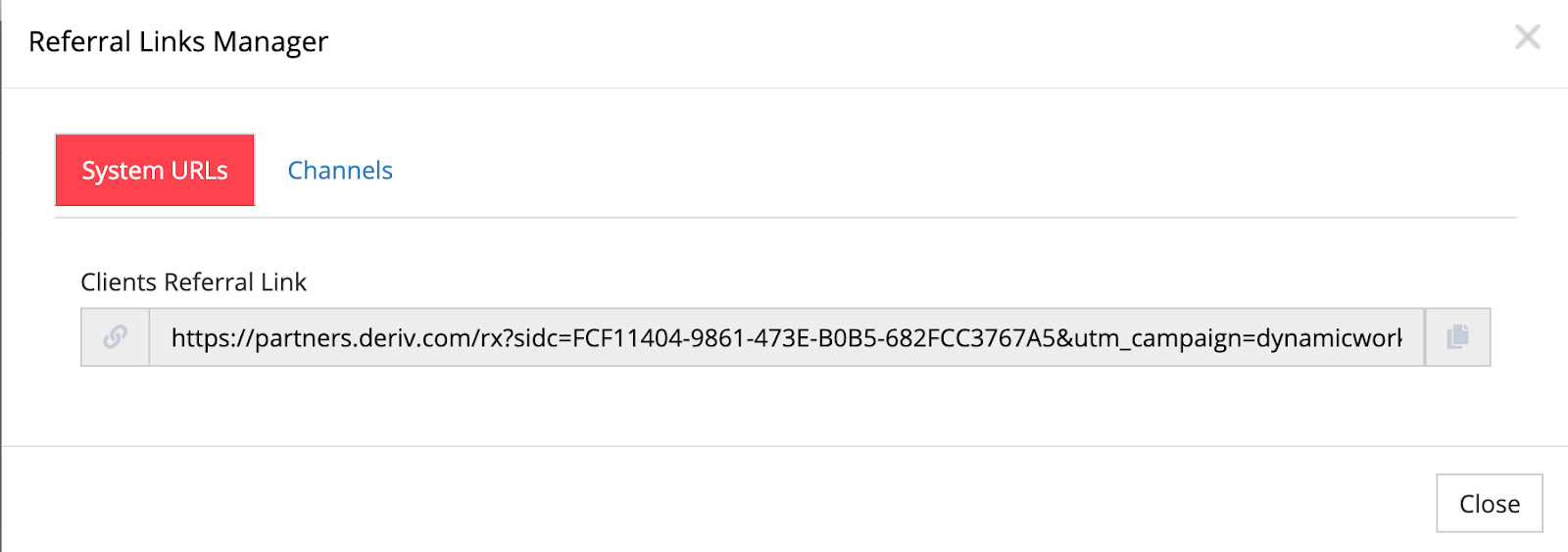
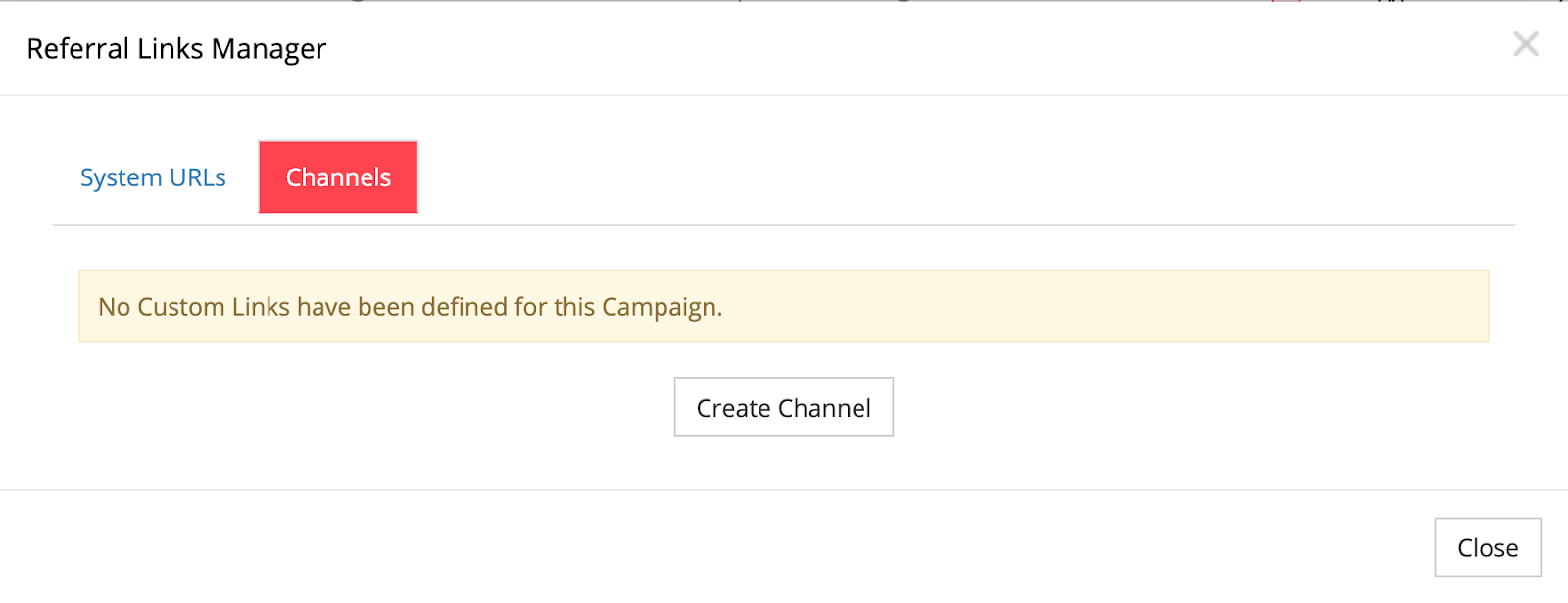
Generate and manage your referral links
Access all your referral links from one central location, organised by commission plan.
- Link strategy: Choose between Revenue Share, Turnover-based, or CPA models based on your audience. Understanding Deriv's three commission models (revenue share, turnover-based, and CPA) helps you choose the right link strategy for your audience.
- Revenue Share: A commission structure where you earn a percentage of Deriv's revenue from your referred clients' trading activity, typically ranging from 30-45% depending on volume.
- Turnover-based commission: Earnings calculated as a percentage of the total trading volume generated by your referrals, regardless of whether they win or lose trades.
- CPA (Cost Per Acquisition): A fixed payment for each qualified client you refer who meets specific deposit and trading requirements.
- Tracking channels: Create separate channels for social media, blogs, or email to measure which sources drive the highest-quality referrals.
How to deploy ready-to-use affiliate marketing banners and materials
Your Marketing Materials section contains pre-made creatives that automatically include your partner code.
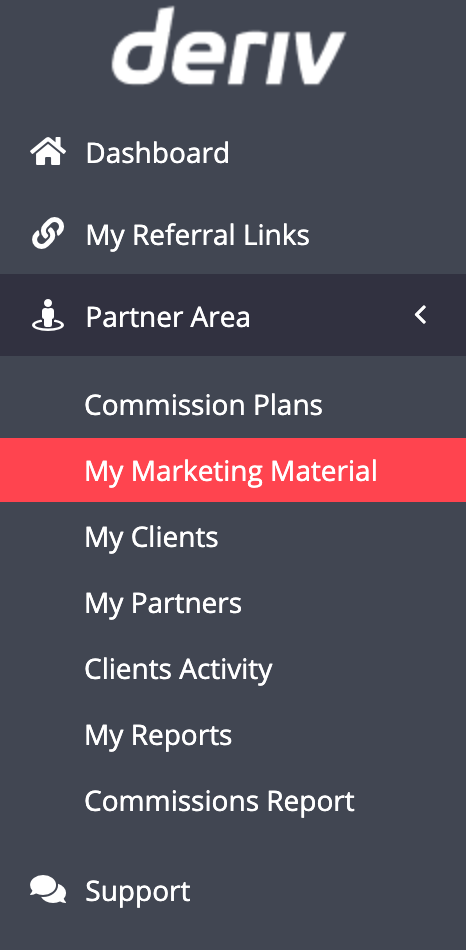
Available materials:
- Banners in multiple languages and sizes
- Landing page links for featured products
- HTML snippets ready for website integration
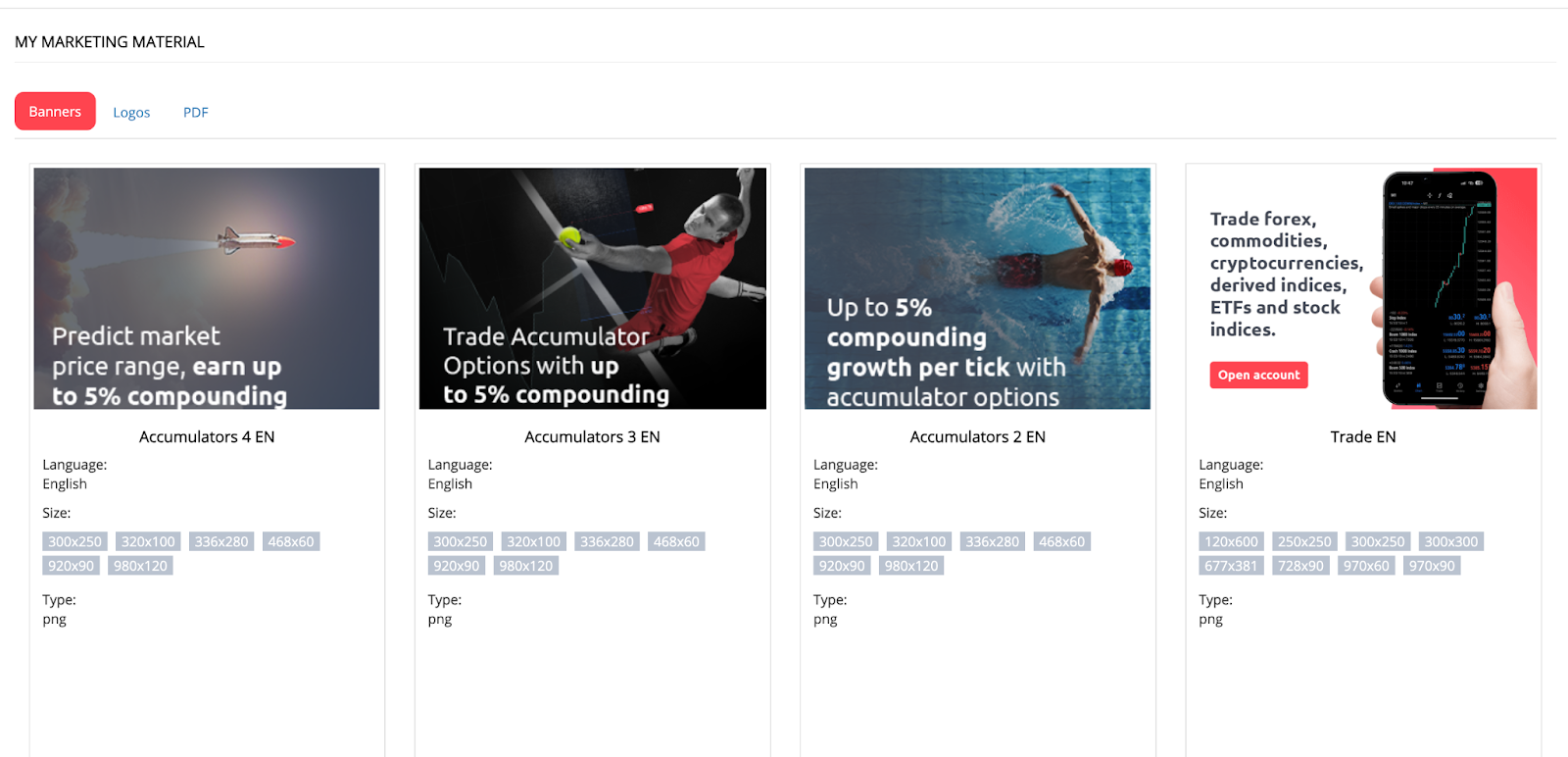
Step-by-step process:
- Choose your preferred language and design. This allows you to tailor content to your logal GEO.
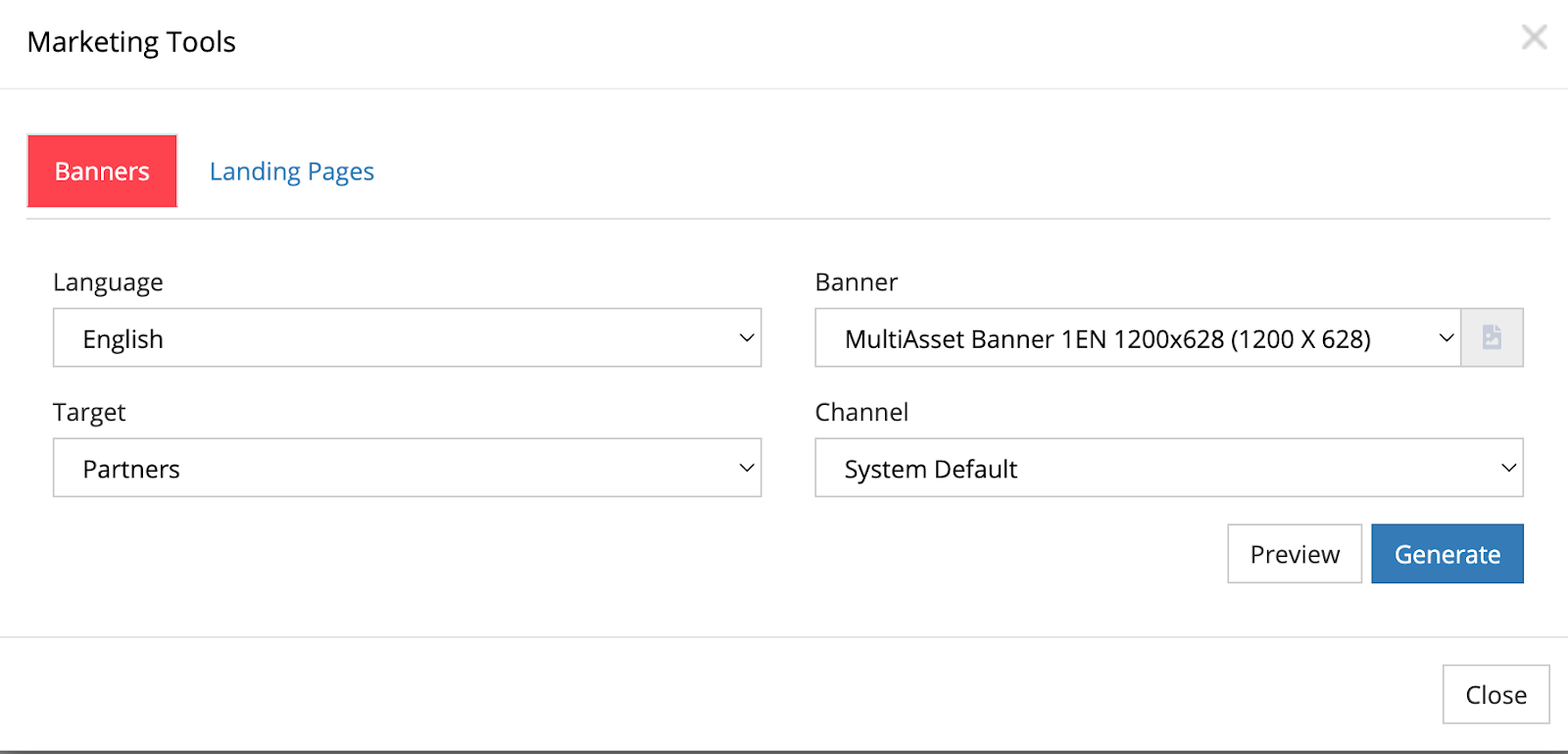
- Select the appropriate size for your placement (rectangle for sidebars, leaderboard for headers)
- Preview the creative
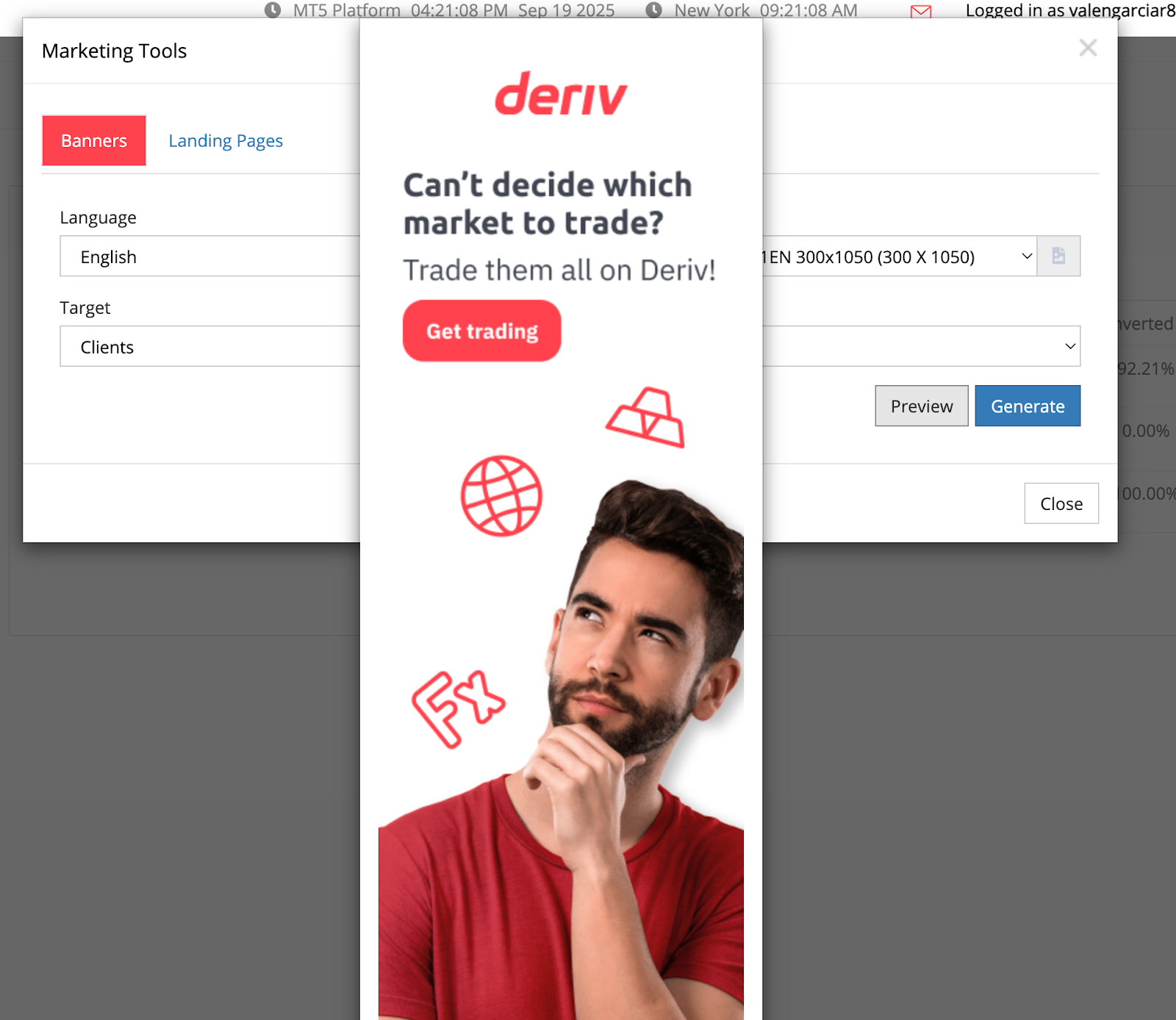
- Copy the HTML snippet. This ensures that all clicks are attributed to your Network ID.
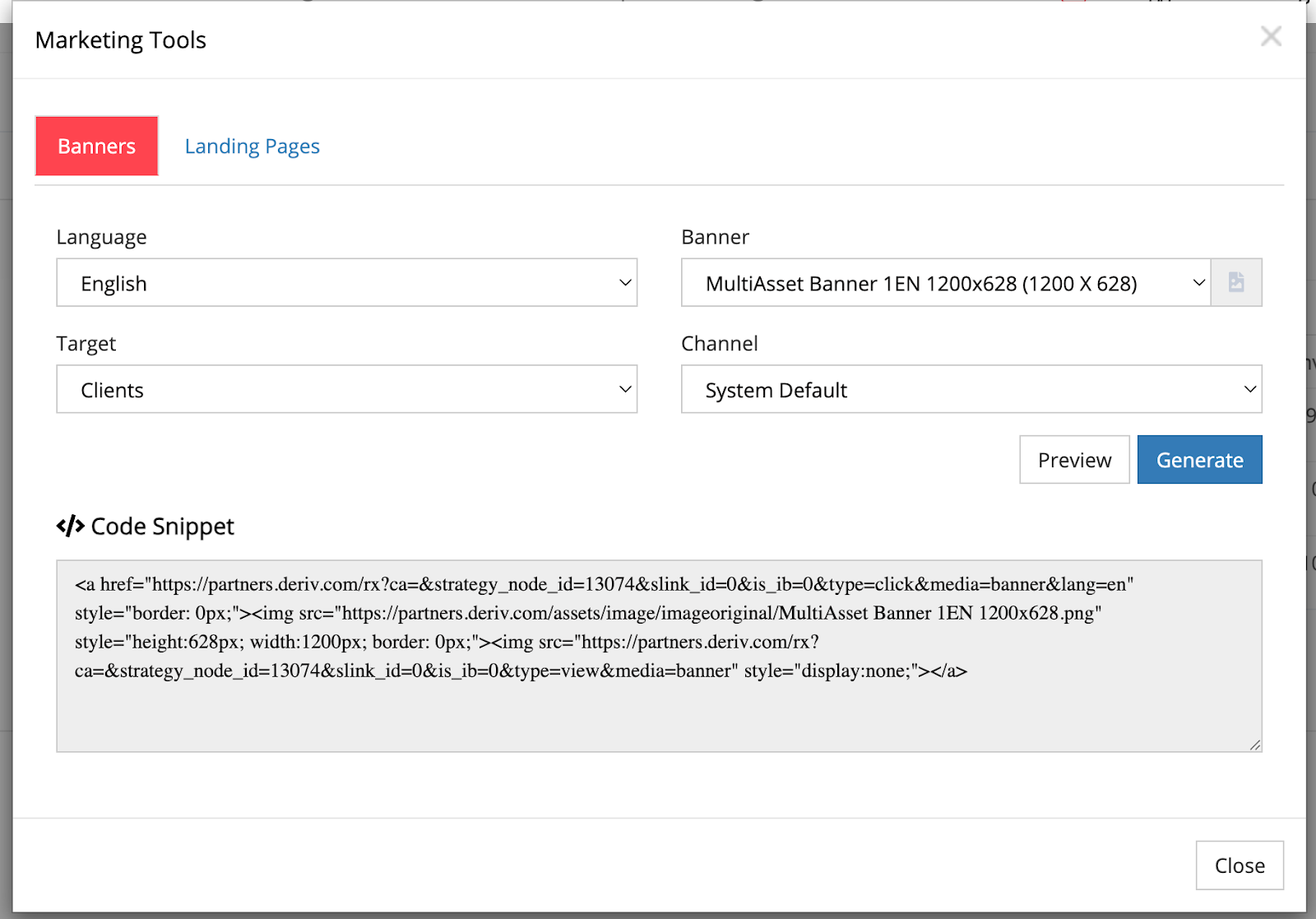
- Add the code to your website to seamlessly integrate professional banners into your site.
Track your client activity and performance
Your My Clients section provides comprehensive referral tracking and performance data.
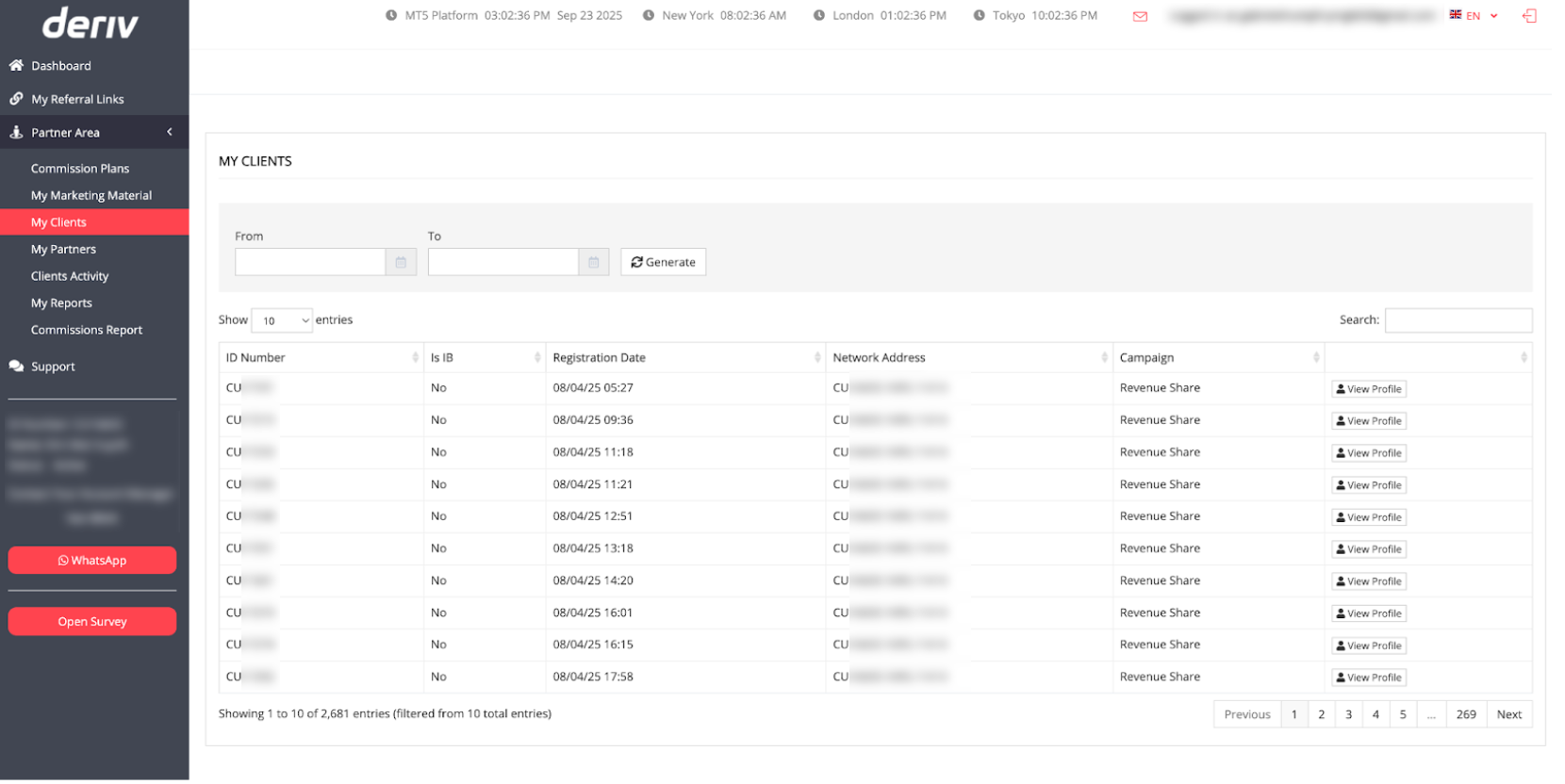
How to generate your client report
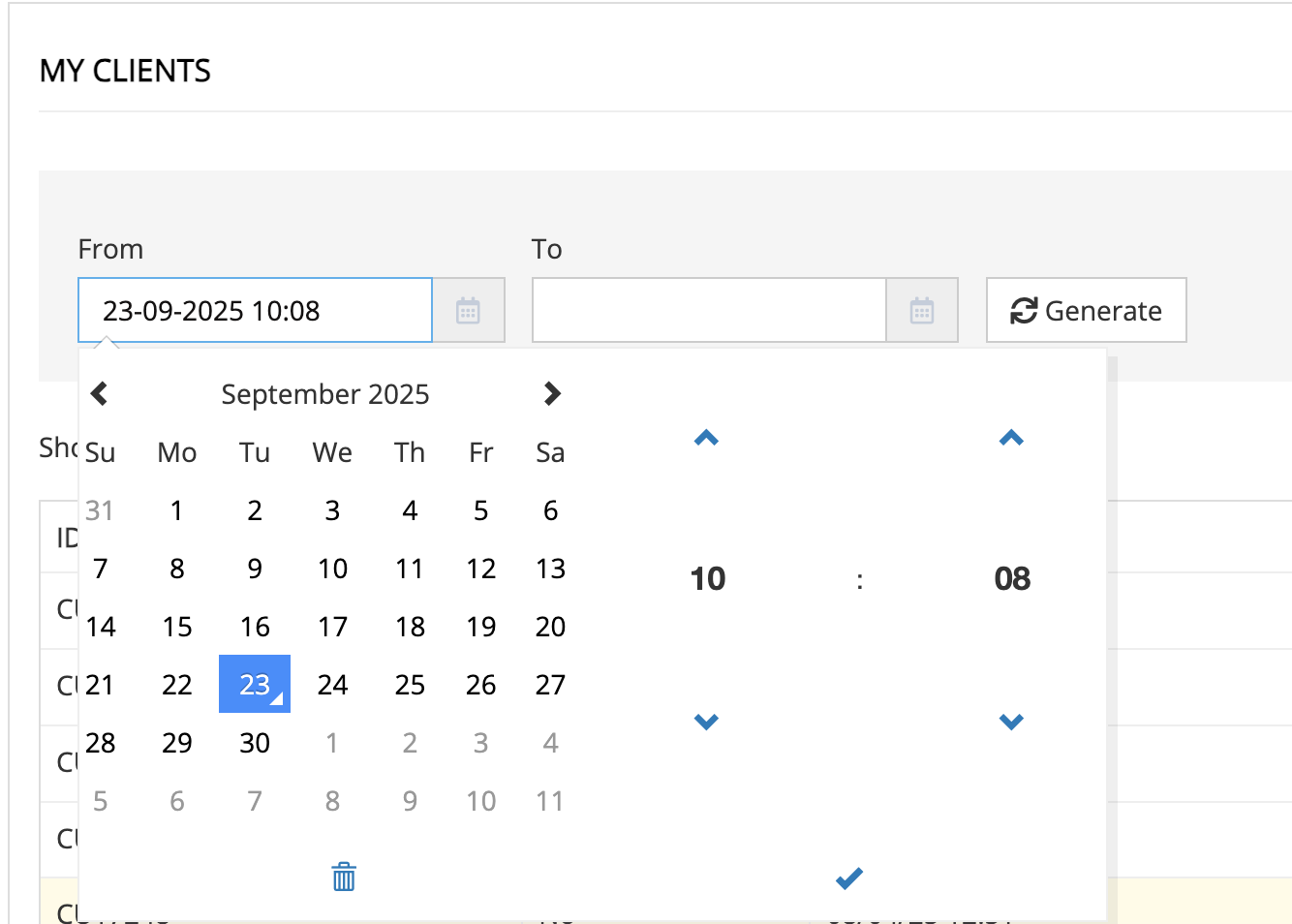
- Leave date fields empty for complete history, or select specific date ranges
- Click "Generate" to display all tracked clients
- Review clients sorted by registration date
Key data points
- ID Number: Client identification code
- Is IB: Shows if they're a sub-partner
- Registration Date: When they joined Deriv
- Network Address: Confirms proper tracking attribution
- Campaign: Which plan/link generated the referral
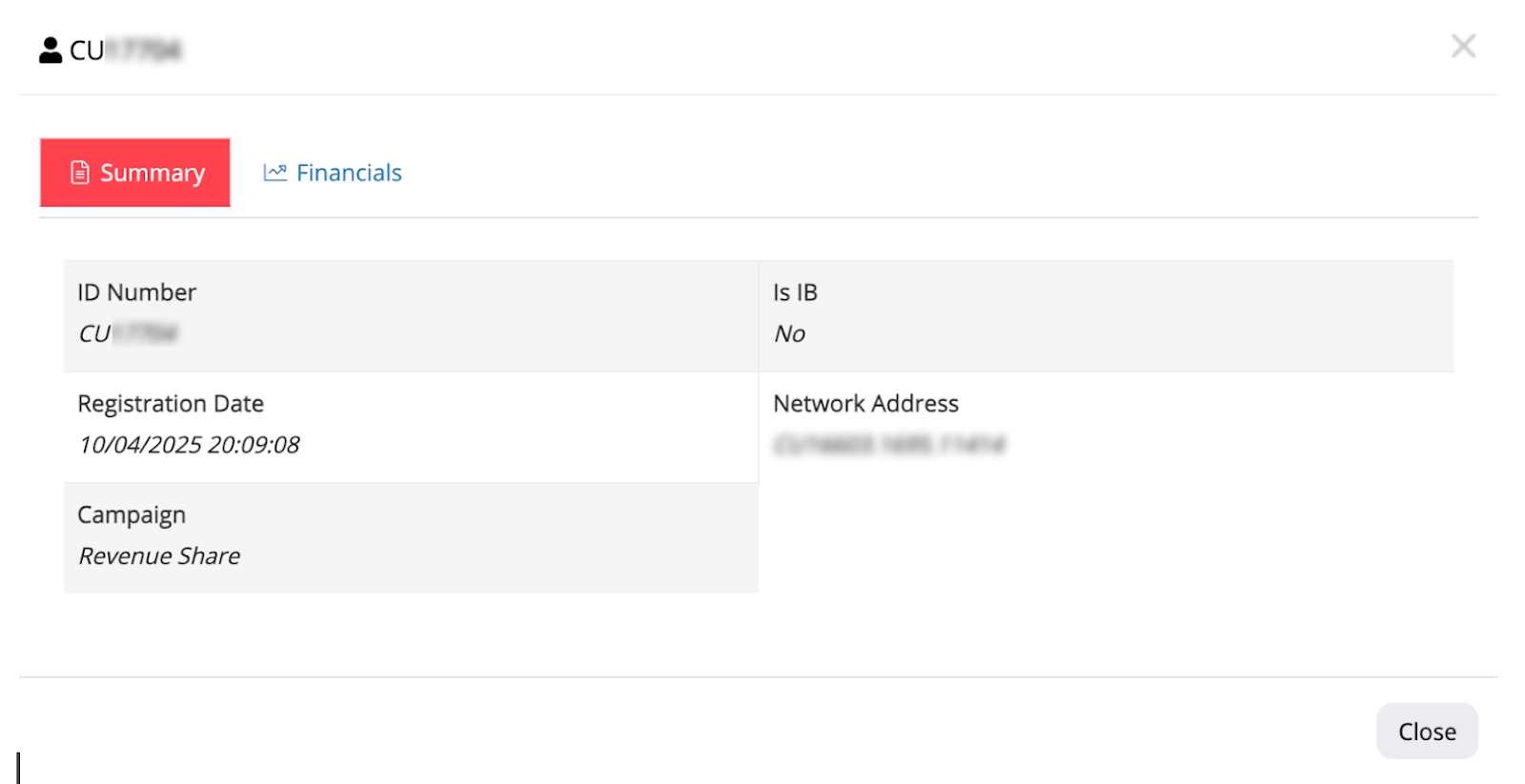
How to view a detailed client analysis
Click "View Profile" for expanded information:
- Summary tab: View registration details and campaign source
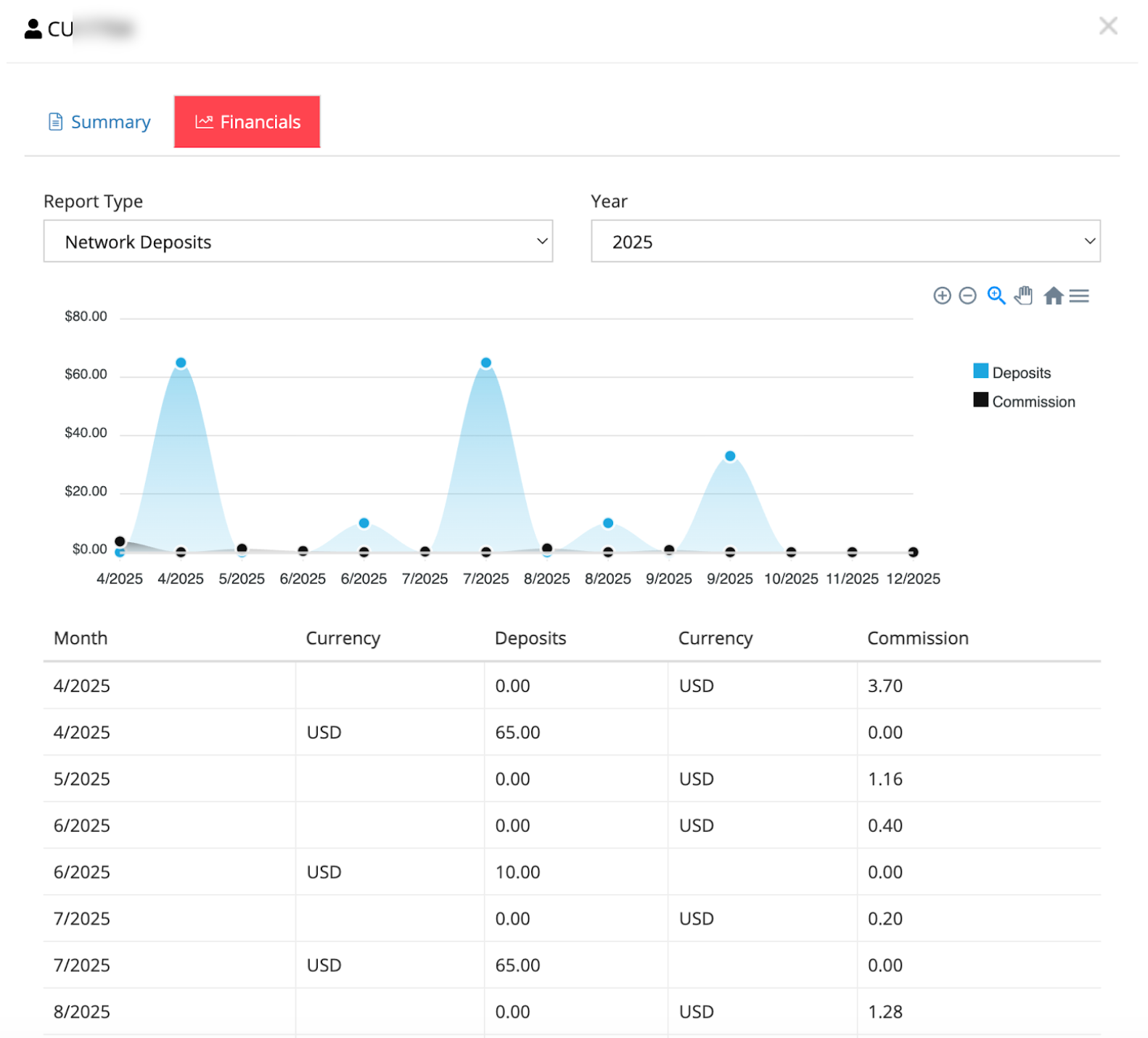
- Financials tab: View network deposits and commission values by year.
Building compliant client communication funnels
Due to privacy and data-protection regulations, Deriv does not provide access to client personal details. To maintain contact, use this three-step funnel:
- Capture consent: Direct traffic to a lead form collecting contact details with clear consent.
- Automatic redirection: After submission, automatically redirect visitors to your unique Deriv registration link.
- Track attribution: This ensures you have a lead list while the dashboard handles the commission tracking.
Strategic workflows: maximising your potential partner commissions
To scale your partner business, you must move from passive observation to active optimisation of your Deriv Partner Dashboard data.
High-impact monitoring habits
- Weekly network audits: Check your Partner Network visualisation weekly to identify emerging "power branches" or high-growth sub-partner nodes.
- A/B Testing creatives: Regularly test different Marketing Materials (e.g., swapping a sidebar rectangle for a leaderboard banner) to identify which sizes drive the highest click-through rates.
- Monthly funnel reviews: Analyse My Clients registration data monthly to identify drop-off points in your compliant communication funnel.
- Recency sorting: Sort your client list by Registration Date to prioritise follow-ups with new traders who may need additional educational resources.
Data cross-referencing for growth
Next steps: scale your business systematically
Your Deriv Partner Dashboard is more than a tracking tool; it is a business intelligence engine. To begin scaling today, focus on:
- Tracking channels: Set up unique tracking IDs for every marketing platform (Social, Blog, Email) to ensure 100% attribution accuracy.
- Creative testing: Deploy at least three different Marketing Materials to find the highest-converting assets for your specific GEO.
- Compliance first: Finalise your Compliant Communication Funnel to begin building your own lead list while respecting global privacy standards.
- Review schedules: Block 30 minutes every Monday to review your Partner Network ID and node growth.
FAQs
Can I access my clients' personal information through the dashboard?
No, privacy regulations prevent access to client's personal details. Use the recommended funnel approach to maintain compliant client communication.
How often should I check my Partner Network data?
Weekly monitoring helps you spot growth trends and identify opportunities to support active sub-partner branches.
What's the difference between client registration and partner sign-up links?
Client registration links direct prospects to open trading accounts, while partner sign-up links help them join as your sub-partners in the network.
How do I know which marketing materials perform best?
Cross-reference your Marketing Tools with My Clients data to see which creative sources generate the most registrations and active traders.
Where can I get help with commission calculations and account setup?
Visit the Partners Help Centre for comprehensive guides on commission structures, account management, and understanding how your earnings are calculated across different partner programs.
Can I promote Deriv in multiple languages?
Yes. Use the language filter in the Marketing Tools section to access localised banners and landing pages with your tracking code automatically embedded.

Quiz